
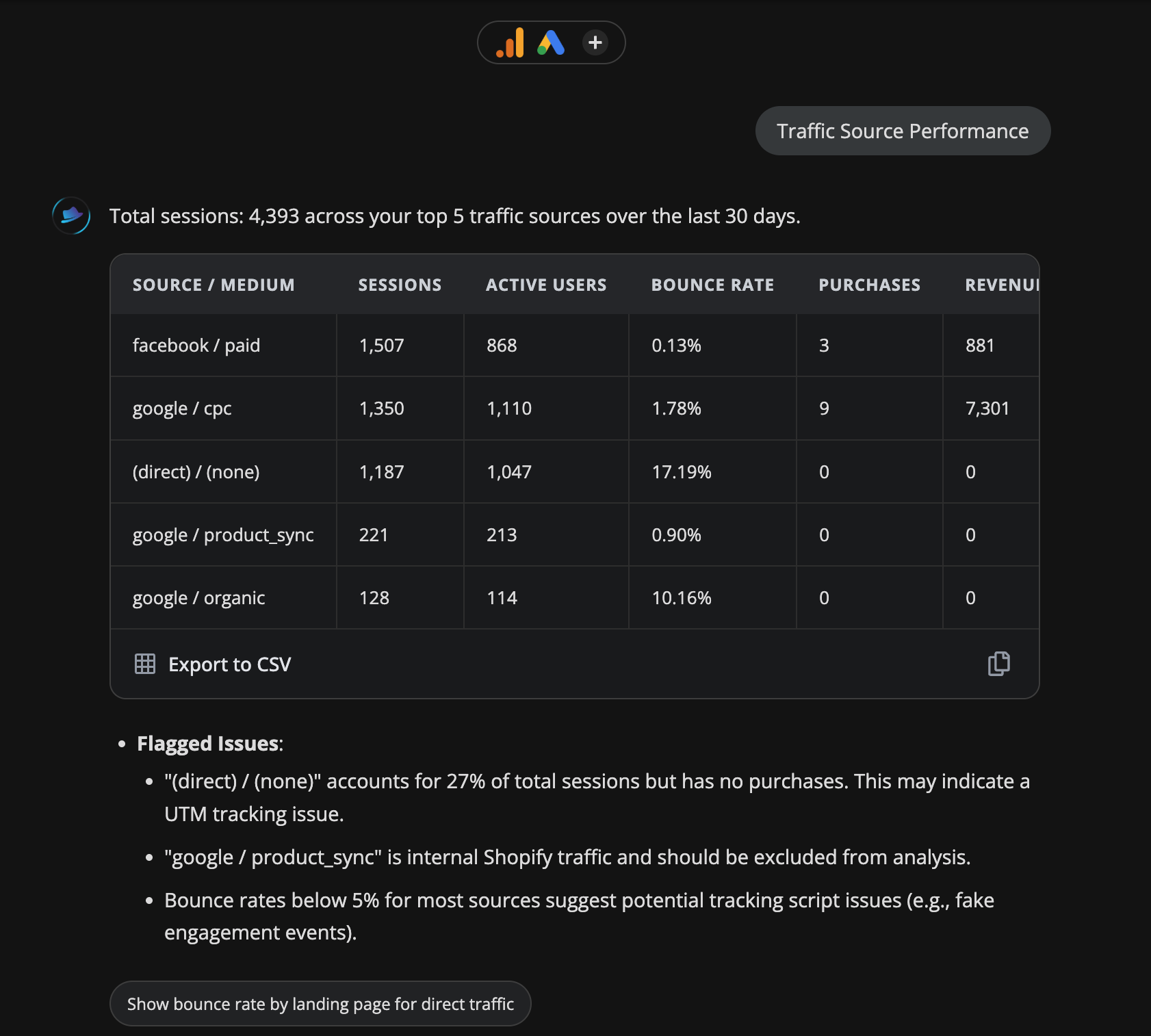
Traffic Source Performance
See exactly where your traffic is coming from: which sources, channels and campaigns are driving sessions and which are leaking budget with zero conversions.
Platforms
 Google Analytics
Monitors
SessionsActive UsersBounce RateEcommerce PurchasesPurchase Revenue
Time range
Last 30 days
Community
Used 27 times
Frequently asked questions
What traffic sources does this playbook analyse?
It breaks down sessions by source and medium: organic search, paid social, direct, referral, email and any custom UTM-tagged campaigns, using your GA4 data from the last 30 days.
Why do I have (not set) showing in my traffic sources?
(not set) appears when GA4 can't identify the source of a session. This usually means missing or broken UTM parameters on your campaigns, or direct traffic that isn't being attributed correctly. This playbook flags it so you know how much traffic is untracked.
How is this different from just looking at GA4 directly?
GA4 requires you to build the report yourself and interpret the data. This playbook pulls the key attribution data automatically and surfaces the anomalies: untagged traffic, low-converting channels, sources with high sessions but zero conversions, without you having to dig.
Do I need any special GA4 permissions?
You need read access to your GA4 property. A Viewer role is sufficient. ClickBoss connects via OAuth. No data is stored and all queries run in real time against your property.
How often can I run this?
Any time. If you set it as a watched sensor, ClickBoss runs it automatically every morning and flags any significant changes from the previous period.