

Google Ads Spend Analysis
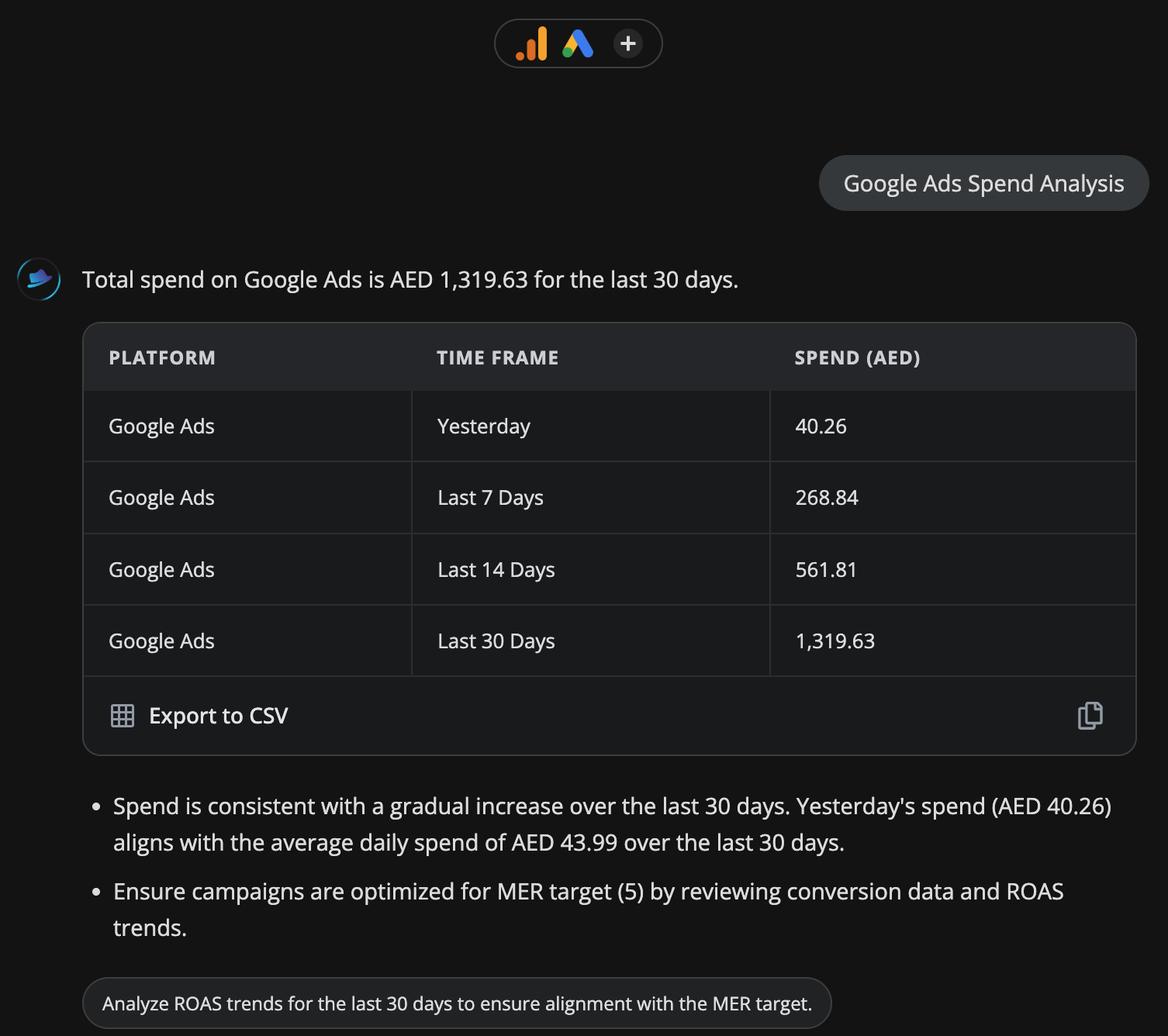
Compare your Google Ads spend across yesterday, last 7 days and last 14 days. Instantly see if you're pacing on budget or burning faster than expected.
Platforms
 Google Ads
Monitors
Customer.idCustomer.descriptive nameDateCost micros
Time range
YESTERDAYLAST 7 DAYSLAST 14 DAYSLAST 30 DAYS
Related audits
Traffic Source Performance
Audit my google analytics traffic sources
Use this audit →
Bounce Rate & Engagement Audit
Top pages by sessions with bounce rate, engagement rate, and average session duration. Flags high-traffic pages with poor engagement that need attention.
Use this audit →
Search Term Waste Detector
Finds Google Ads search terms with high spend but zero or low conversions. Surfaces negative keyword candidates and wasted budget — direct money saved.
Use this audit →
Frequently asked questions
What spend data does this audit show?
It pulls spend by campaign for yesterday, the last 7 days and the last 14 days from Google Ads, letting you spot sudden spend increases or drops across all time windows at once.
Will this show me if a campaign is overspending its budget?
Yes. If a campaign's daily spend is significantly higher than its 7-day average, the audit surfaces that as an anomaly. You can then investigate the specific campaign or pause it directly in Google Ads.
Does this work for Smart campaigns and Performance Max?
Yes, it pulls data from all active campaign types including Performance Max, Smart Shopping and standard Search and Display campaigns.
Can I see spend broken down by ad group or keyword?
This audit shows campaign-level spend. For ad group and keyword breakdowns, use the Google Ads Keyword Performance audit.
How is this useful for agencies managing multiple clients?
Each ClickBoss project maps to one website and its connected accounts. Run this audit across client projects to get a spend snapshot for each account without logging into Google Ads individually.