

Google Ads Campaign Performance
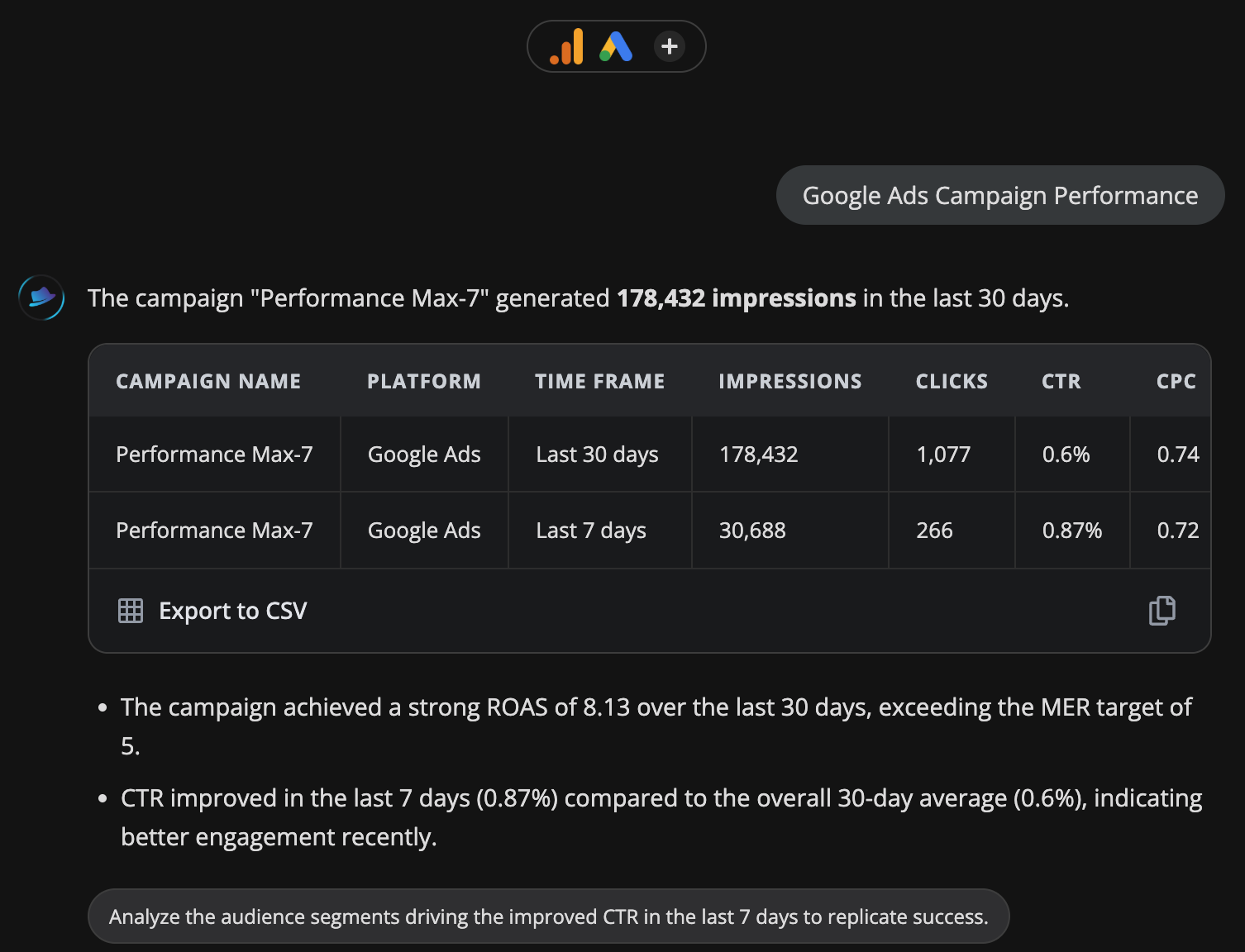
Campaign-level breakdown of impressions, clicks, CTR, CPC, cost and conversions. Highlights top performers and budget inefficiencies.
Platforms
 Google Ads
Monitors
NameAdvertising channel typeImpressionsClicksCtrAverage cpcCost microsConversions
Time range
LAST 30 DAYSLAST 7 DAYS
Related audits
Traffic Source Performance
Audit my google analytics traffic sources
Use this audit →
Bounce Rate & Engagement Audit
Top pages by sessions with bounce rate, engagement rate, and average session duration. Flags high-traffic pages with poor engagement that need attention.
Use this audit →
Search Term Waste Detector
Finds Google Ads search terms with high spend but zero or low conversions. Surfaces negative keyword candidates and wasted budget — direct money saved.
Use this audit →
Frequently asked questions
What metrics does this audit show?
Impressions, clicks, CTR, average CPC, cost, conversions and cost per conversion at the campaign level for the last 30 days. It also flags your best and worst performers against the account average.
How do I know if my CTR is good?
Search campaigns usually run 3-5% CTR; Display sits at 0.5-1%; Performance Max varies widely by vertical. The audit compares each campaign against your own account average, which is a more useful benchmark than industry numbers.
What does a high CPC with low conversions mean?
You are paying competitive prices to show your ads but the traffic is not converting. Usually the fix is landing page or offer mismatch, not bid strategy. Run the Analyze Landing Pages audit to diagnose further.
Should I pause campaigns with zero conversions?
Not immediately. First check conversion tracking. A broken tag can make a working campaign look like a failure. If tracking is fine and spend is significant with no conversions over 30 days, pause or restructure.
Does this show Performance Max campaigns?
Yes. Performance Max shows up alongside Search, Display and Shopping. PMax is a black box: campaign-level data is all Google exposes, so this is the deepest view possible.