
Most teams look for a Supermetrics alternative for one simple reason: they do not actually want a data pipeline. Supermetrics moves raw metrics into Google Sheets, Looker Studio, or a data warehouse, leaving your team to build, maintain, and debug dashboards every morning. If you want verified answers and daily priorities instead of maintaining connectors, ClickBoss is built for that workflow.
The real bottleneck with connector tools
Connector middleware solves one specific job: pulling rows from ad platforms and analytics APIs into another tool. That works well when you already have an analyst or BI team who wants raw tables in BigQuery or Snowflake.
For most marketing, product, and leadership teams, the pipeline is only step one. After the data lands in a sheet or Looker Studio template, someone still has to:
- Check whether a token expired or a blended data source broke overnight.
- Verify whether a sudden ROAS drop is a real campaign issue or a broken GA4 purchase tag.
- Cross-reference Google Ads, Meta Ads, and GA4 manually to find the root cause.
- Turn five tabs of charts into three clear actions before the morning standup.
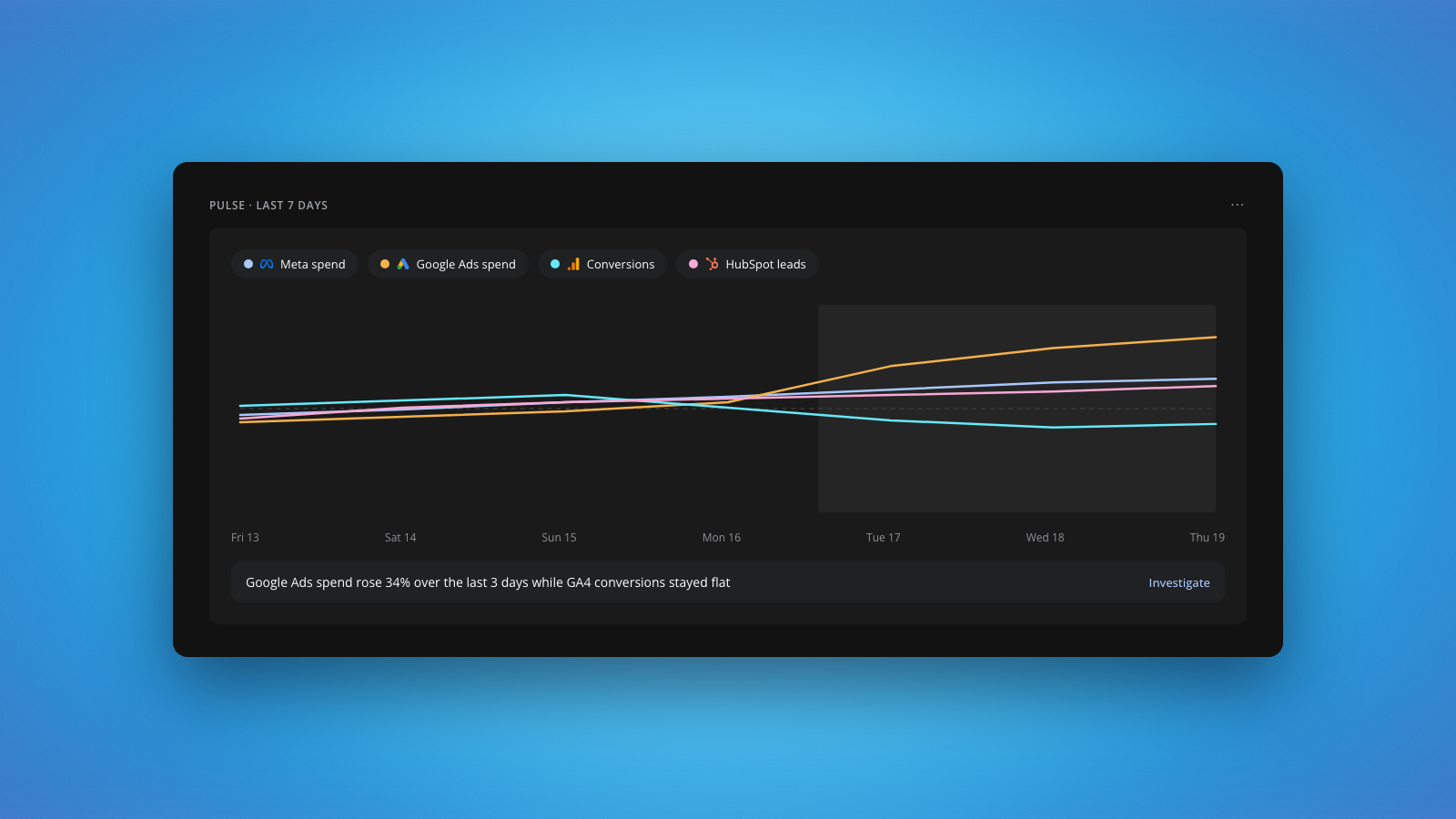
Most tools show you the number. ClickBoss tells you whether to trust it, and what to do about it.
Supermetrics vs ClickBoss: data pipe vs AI growth analyst
| Dimension | Supermetrics (Data Pipeline) | ClickBoss (AI Growth Analyst) |
|---|---|---|
| Core job | Moves raw data into Google Sheets, Looker Studio, Excel, or data warehouses | Watches connected platforms, audits tracking health, and explains what to act on |
| Connection architecture | Middleware connector layer plus your own destination storage and BI templates | Direct read-only OAuth to GA4, Google Ads, Meta Ads, and HubSpot (Shopify pending App Store approval) |
| Daily workflow | Build, refresh, and inspect dashboards manually to spot what changed | Daily morning briefing at 8:30am with top priorities across risk, growth, and forecast |
| Tracking and data trust | Copies whatever the API returns, even when conversion tags or UTMs broke | Runs automated audits for attribution gaps, tracking breaks, and live browser tags via TagBoss |
| Pricing model | Scales by number of connectors, destinations, and ad accounts | Flat plans on ClickBoss pricing: Pro $99/month (14-day free trial, no card required), Growth $249/month, Scale $499/month |
How Supermetrics pricing compares to flat-plan analytics
Because connector platforms charge by data sources, destinations, and accounts, costs often creep up as you add channels or client properties. On top of the subscription, you still pay in team hours to fix broken Looker Studio connectors and rebuild templates whenever an API field changes.
ClickBoss takes a simpler approach on pricing. Every plan includes all standard integrations, the 8:30am morning briefing, continuously watched audits, My Alerts, and plain-English chat with no extra fee per data source:
- Pro ($99/month): 1 project, 3 team members, and a 14-day free trial with no card required.
- Growth ($249/month): 3 projects and 10 team members for multi-brand teams.
- Scale ($499/month): 10 projects and unlimited team members for agencies and larger organisations.
- Enterprise: Custom projects, SSO/SCIM, zero data retention, and dedicated onboarding.
When to stay on Supermetrics vs when to switch to ClickBoss
Switching tools only makes sense if the architecture matches how your team works.
Stay on Supermetrics if:
- You have a dedicated BI or data engineering team writing custom SQL models in BigQuery, Snowflake, or Redshift.
- Your main requirement is exporting raw rows into custom internal financial spreadsheets.
- You need dozens of niche regional ad connectors piped into an existing warehouse.
Switch to ClickBoss if:
- You are a marketing, product, analytics, or agency team tired of maintaining Looker Studio dashboards.
- You want an 8:30am morning briefing that flags wasted ad spend, creative fatigue, and conversion drops automatically.
- You want tracking health checked before anyone makes a budget call off broken GA4 or ad-platform numbers.
- You want to ask plain-English questions across GA4, Google Ads, Meta Ads, and HubSpot and get verified numbers fetched live on the spot.
Worth testing on your live accounts: start a 14-day free Pro trial on ClickBoss (no card required) and compare your first morning briefing against your current reporting routine. Decide with ClickBoss.
FAQ
What is the best Supermetrics alternative if I do not want to build dashboards?
If you want answers rather than raw rows in a spreadsheet, ClickBoss is built for that workflow. It connects directly to GA4, Google Ads, Meta Ads, and HubSpot via read-only OAuth, runs automated audits overnight, and delivers an 8:30am morning briefing with clear priorities.
How is ClickBoss different from Supermetrics?
Supermetrics is a data pipeline that moves metrics into Google Sheets, Looker Studio, or a warehouse so your team can build reports. ClickBoss is an AI growth analyst that connects directly via OAuth, verifies tracking accuracy first, and explains what changed and what is worth testing.
How much does ClickBoss cost compared to connector tools?
Connector tools typically price by data sources, destinations, and ad accounts. ClickBoss uses flat plans with all standard integrations included at no extra charge per source: Pro is $99/month (14-day free trial, no card required), Growth is $249/month, and Scale is $499/month.