

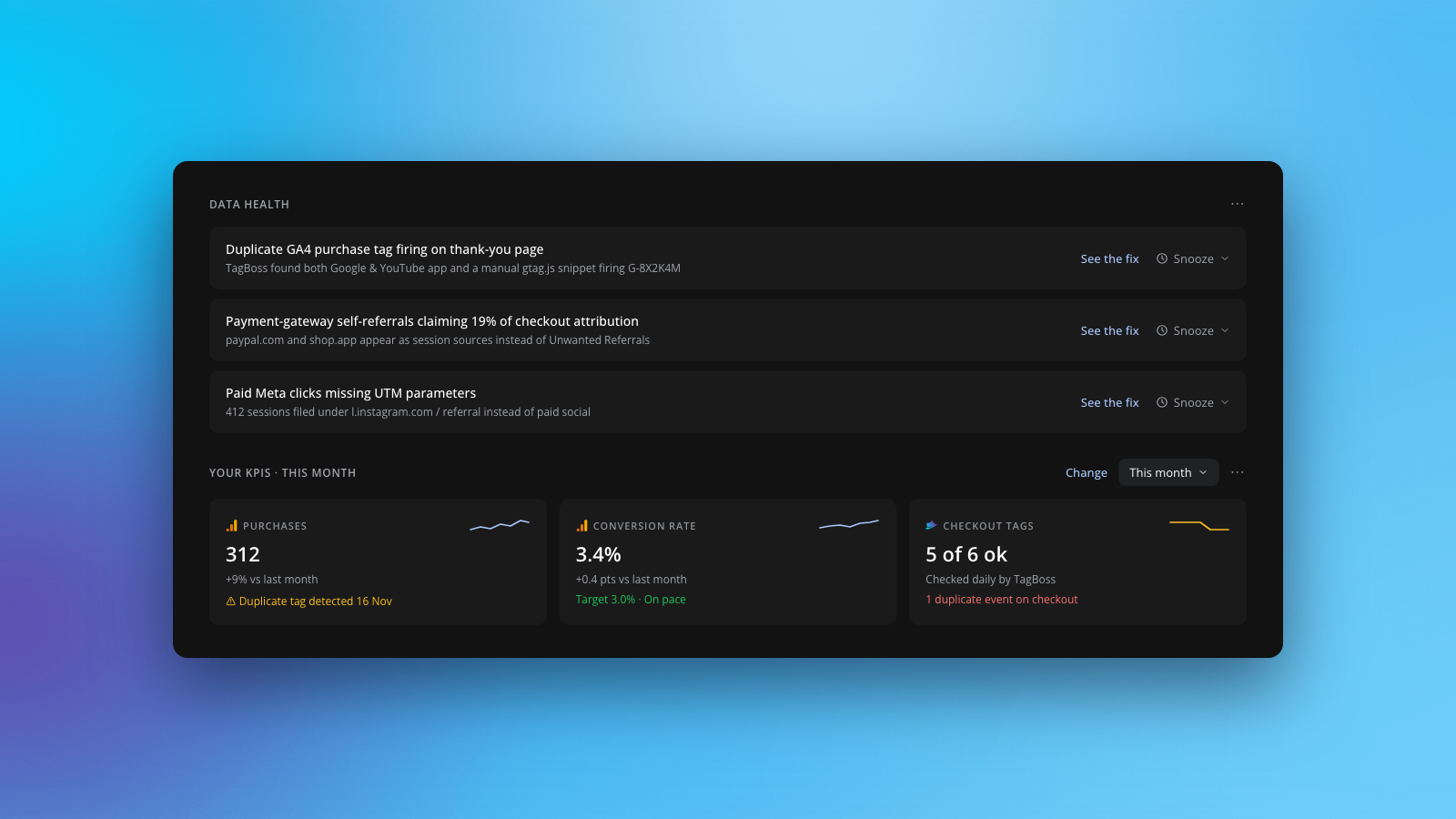
Getting clean Google Analytics 4 data on Shopify comes down to three habits: connect GA4 through Shopify's official Google & YouTube channel (never paste a second manual gtag.js snippet in theme.liquid alongside it), exclude payment gateways from referrals, and reconcile GA4 purchase revenue against Shopify reports every week.
Why Google Analytics 4 never matches Shopify reports (and how to fix it)
A 5% to 15% gap between GA4 and Shopify reports is normal because Shopify logs orders server-side while GA4 relies on browser events. When the gap climbs past 15%, or when GA4 reports higher revenue than Shopify, something in your tracking setup is broken.
| Discrepancy cause | Symptom in GA4 | Exact fix |
|---|---|---|
| Duplicate purchase tags | GA4 reports more orders or revenue than Shopify, or double pageviews on landing | Remove manual gtag.js code from theme.liquid and check Shopify Customer Events for duplicate pixels firing the same Measurement ID |
| Payment-gateway self-referrals | Top converting traffic sources show paypal.com, shop.app, or your own checkout domain |
Add payment processors and checkout subdomains to Unwanted Referrals inside GA4 Data Stream settings |
| Tax, shipping, and refunds | GA4 order counts match Shopify, but total revenue is consistently off by 10% to 20% | Confirm whether you compare GA4 Purchase revenue against Shopify Net Sales or Total Sales, and account for post-purchase refunds |
| Consent banners and ad blockers | GA4 consistently undercounts orders by 10% to 25% across all channels, especially in the EU or Safari | Verify Consent Mode v2 configuration and use Shopify orders as your financial source of truth for blended MER |
| Ad platform attribution windows | Meta Ads and Google Ads claim far more purchases combined than GA4 attributes to paid channels | Audit UTM parameters on every Meta ad, check Google Ads auto-tagging (gclid), and budget on blended MER rather than overlapping platform ROAS |
Auditing GA4 and Google Tag Manager on Shopify
Shopify's move from legacy checkout scripts to the Customer Events (Web Pixels) sandbox broke thousands of older Google Tag Manager setups. If your store uses Google Tag Manager on Shopify, it is worth running these four checks right away:
- Pick one owner for GA4 core events: Use Shopify's official Google & YouTube channel app for standard ecommerce events (
view_item,add_to_cart,begin_checkout,purchase). Only layer Google Tag Manager inside Customer Events for custom events, and never let both fire the same GA4 Measurement ID. - Run a real test checkout: Complete a low-value test order and watch GA4 DebugView. Confirm
purchasefires exactly once with the right currency, transaction ID, and line items. - Inspect live browser tags through checkout: Use TagBoss or Tag Assistant across your homepage, product page, cart, and thank-you page to catch orphaned Universal Analytics snippets or duplicate GA4 containers.
- Cross-check UTMs on paid social: Missing UTM parameters on Meta ads cause GA4 to file paid Facebook and Instagram clicks under Referral or Direct, making your best campaigns look invisible in GA4 channel reports.
For a complete property-wide walkthrough beyond Shopify, follow our step-by-step Google Analytics audit checklist.
Automating GA4, ad-channel, and Shopify reconciliation
Manual monthly checks usually catch broken tracking weeks after budget has already been misallocated. ClickBoss watches your data every morning so silent breaks surface at 8:30am instead of month-end.
What connects today and what is next:
- Live today via direct read-only OAuth: GA4, Google Ads, Meta Ads, and HubSpot connect directly with no middleware. ClickBoss audits conversion drops, attribution gaps, bounce-rate spikes, and wasted search terms automatically every morning, while TagBoss inspects live browser tags on your site.
- Shopify integration status: Our Shopify integration (read-only access to orders, products, and analytics; no customer data) is built and currently pending Shopify App Store approval. Once approved, your store orders feed directly into your morning briefing, revenue targets, and blended MER.
If you are evaluating broader ecommerce analytics platforms or comparing flat-plan tools against revenue-tiered attribution suites, see our Triple Whale alternative breakdown. Worth testing on your live GA4, Google Ads, and Meta accounts today: start a 14-day free Pro trial on ClickBoss (no card required). Decide with ClickBoss.
FAQ
Why do Google Analytics 4 numbers not match Shopify reports?
Shopify records every completed order server-side, while GA4 depends on browser tags that can be blocked by consent banners or ad blockers. Gaps also come from duplicate purchase tags, payment-gateway self-referrals, and differences in how each tool counts tax, shipping, and refunds.
Should I use Google Tag Manager or the Shopify Google & YouTube app for GA4?
For most stores, Shopify's official Google & YouTube app is the cleanest starting point for core ecommerce events. Use Google Tag Manager through Shopify Customer Events only when you need custom tracking, and never run both firing the same GA4 measurement ID.
How do I audit my Shopify store's GA4 conversion tracking?
Start by running a test checkout and verifying that purchase fires once with the exact order value, checking Traffic Acquisition for payment-gateway self-referrals, and comparing 30-day GA4 revenue against Shopify reports. Tools like ClickBoss and TagBoss automate these checks across your stack.